


Last reviewed: 6 August 2026
Summary: Setting up a branded referral and affiliate channel on Shopify can be done in under 1 hour by installing ReferralCandy, selecting a reward, and activating the post-purchase signup popup. Many businesses have seen significant revenue growth, with 20% to 30% of new revenue coming from advocates within the first 90 days.
Table of Contents
- Why Choose ReferralCandy for a Shopify Affiliate Program
- Requirements Before Installation
- Step-by-Step Guide for Setting Up ReferralCandy
- Tracking Performance
- Best Practices for Optimization
- FAQ
- Key Points
1. Why Choose ReferralCandy for a Shopify Affiliate Program
ReferralCandy offers a convenient solution by combining referrals and affiliates in one platform, eliminating the need for multiple tools. Standout features include instant post-checkout activation, flexible reward options, and built-in fraud prevention.
- Quick launch: Get up and running in under an hour.
- Increased sharing: Businesses using ReferralCandy have seen share rates rise from 4% to 12%.
- Designed for Shopify: ReferralCandy is optimized for Shopify, ensuring seamless integration and fast page loading times.
2. Requirements Before Installation
- Understand your profit margins to avoid negative impacts from reward payouts.
- Choose a reward type such as cash, coupons, store credit, or custom incentives.
- Prepare brand assets including logo, primary colors, lifestyle images, and a brief brand description.
3. Step-by-Step Guide for Setting Up ReferralCandy
Step 1: Install the App
- In Shopify Admin → Apps, search for “ReferralCandy” and click Add app.
- Grant permissions and follow the onboarding process.

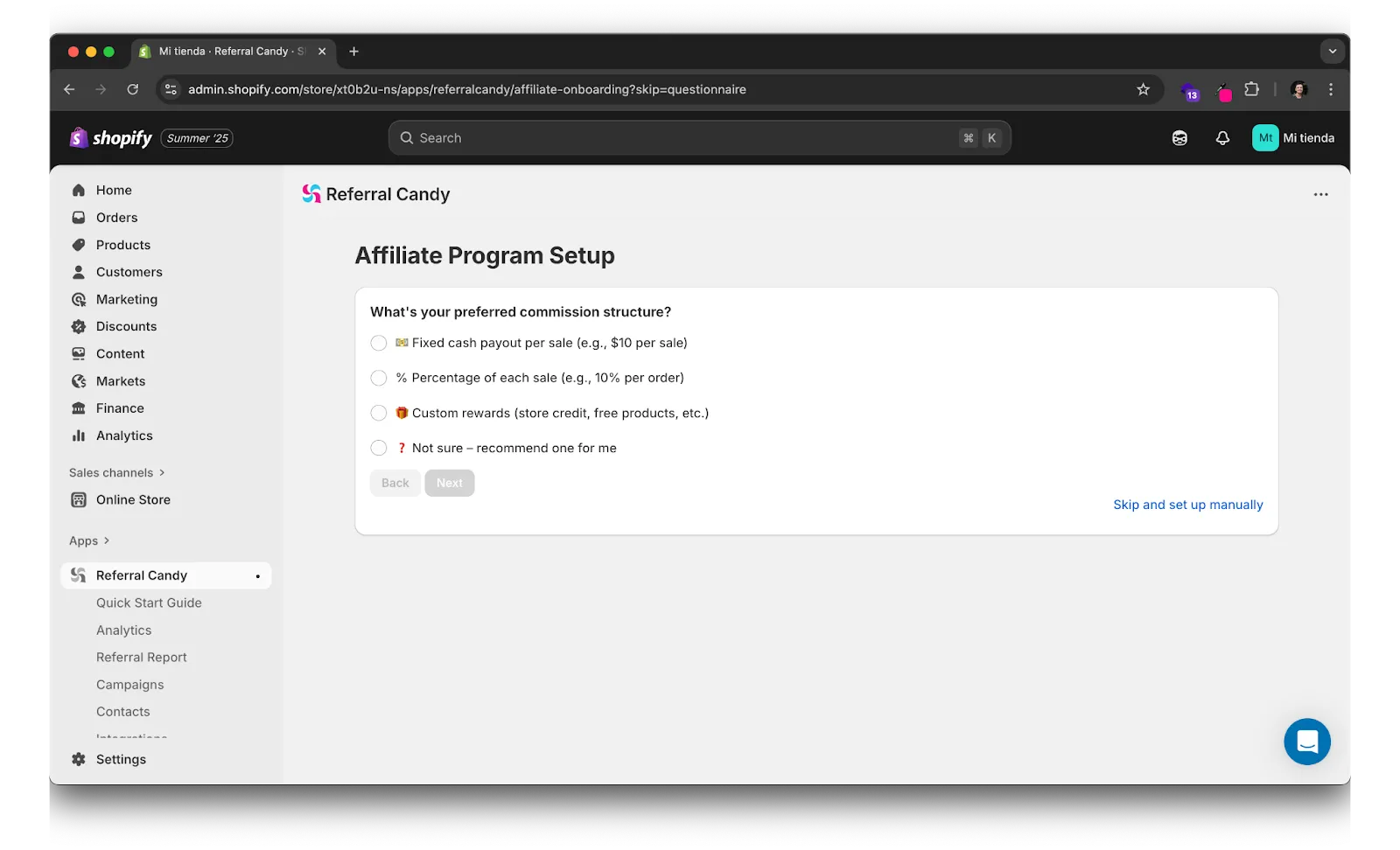
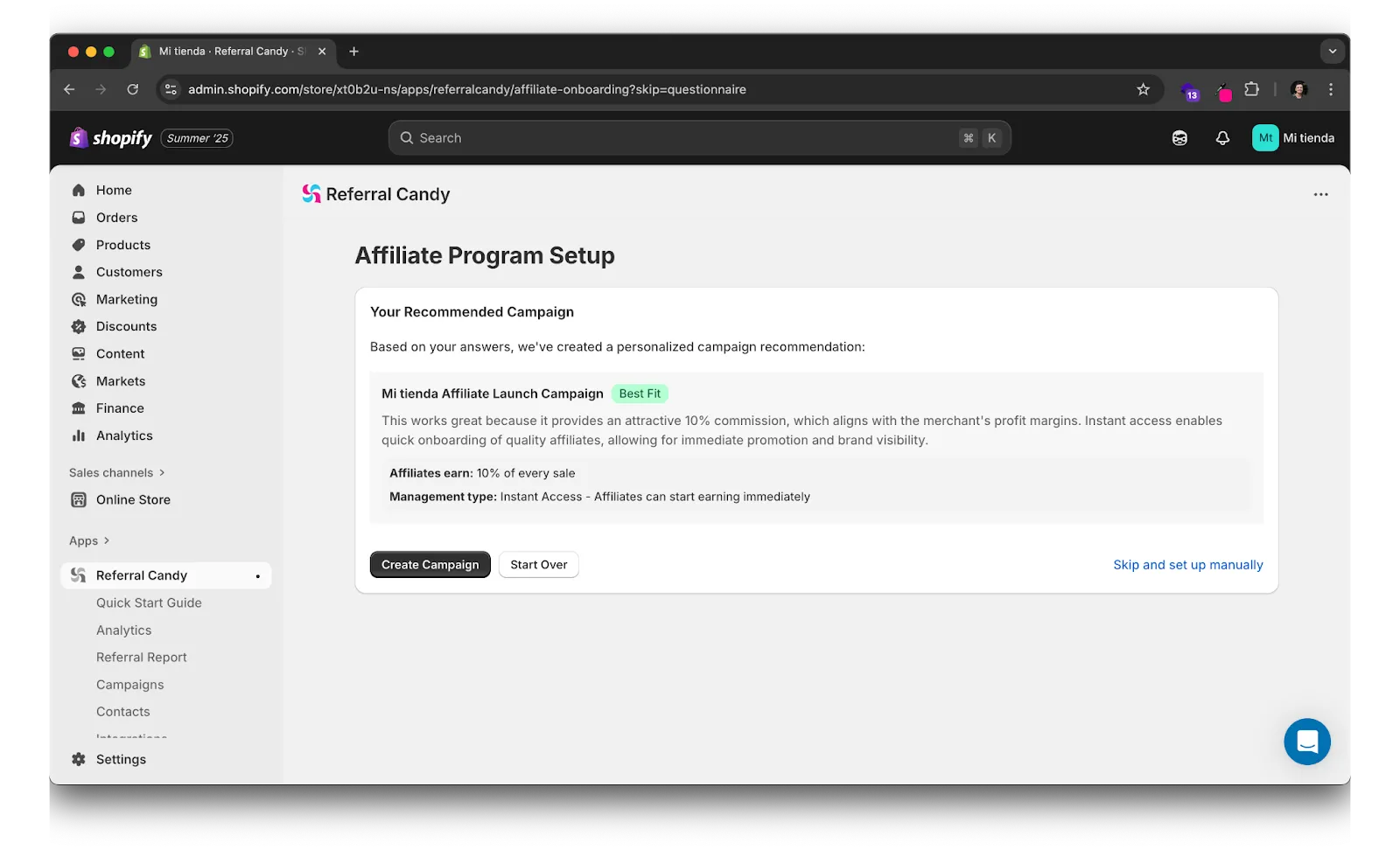
Step 2: Choose Program Type & Reward
- Create a campaign and select the Affiliate Program option.

- Configure your Affiliate Program Setup or let ReferralCandy assist you in the process.
Step 3: Customize Your Widgets
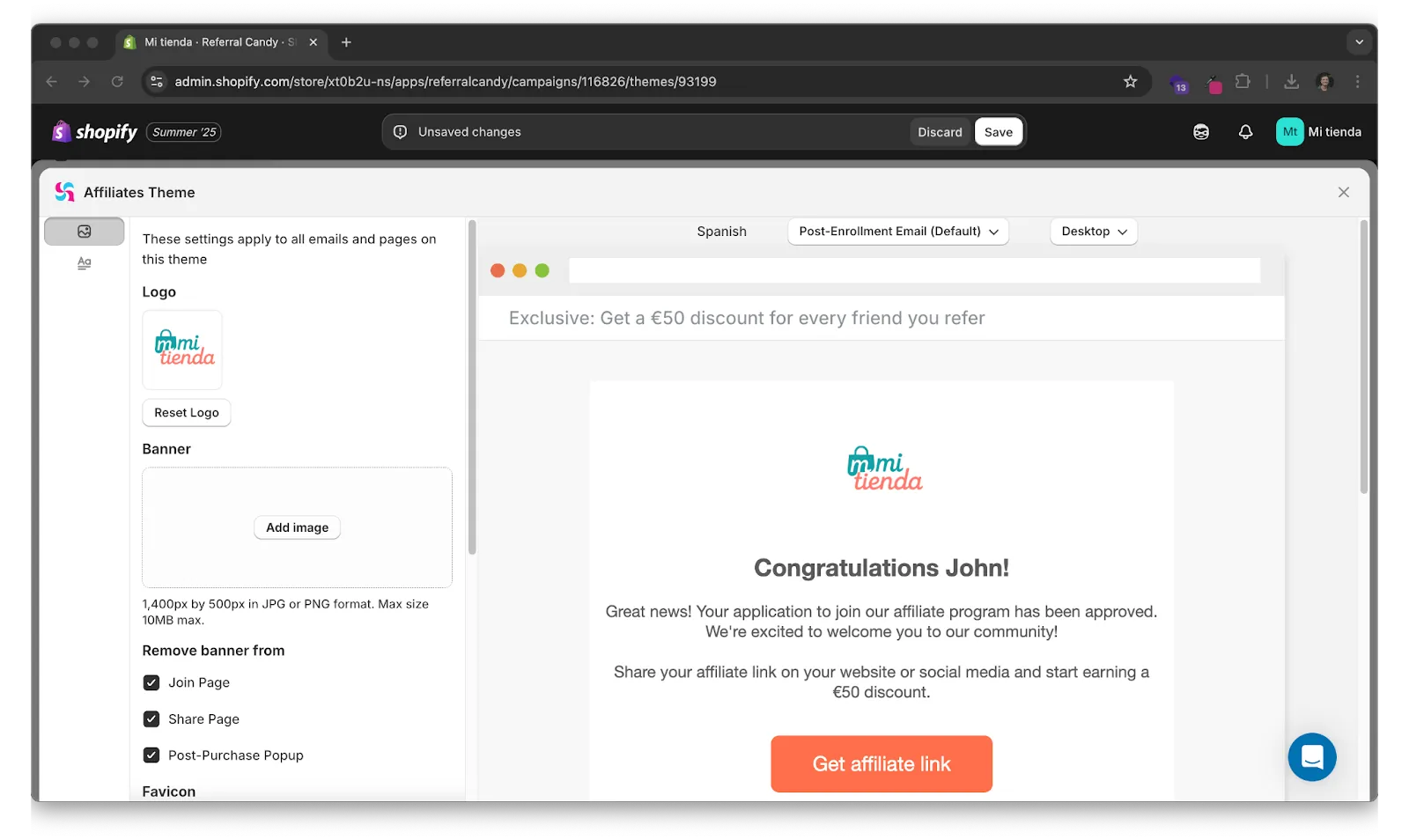
- Personalize the post-purchase popup, share widget, and email templates with your logo and brand colors.
Step 4: Activate Signup & Sharing Widgets
- Utilize the post-purchase referral extension to convert buyers into advocates effortlessly.
- Include a join block or footer link to capture organic traffic.
- Integrate with Klaviyo for automated affiliate emails and SMS.

Step 5: Generate Links & Codes
- Receive personal referral links with UTM parameters and optional discount codes for seamless checkout.

Step 6: Test the Process
- Place a $1 test order, share your link, and complete a referred checkout to confirm attribution.
Step 7: Launch & Inform
- Email your customer base, share on social media, and add an “Earn $10” banner to your website navigation.
4. Tracking Performance
ReferralCandy’s dashboard allows you to monitor:
- Real-time clicks, sales, and conversion rates
- Earnings-per-click (EPC) and average order value (AOV)
- Commission payouts with multi-currency support
- Fraud alerts for code leaks and suspicious activities
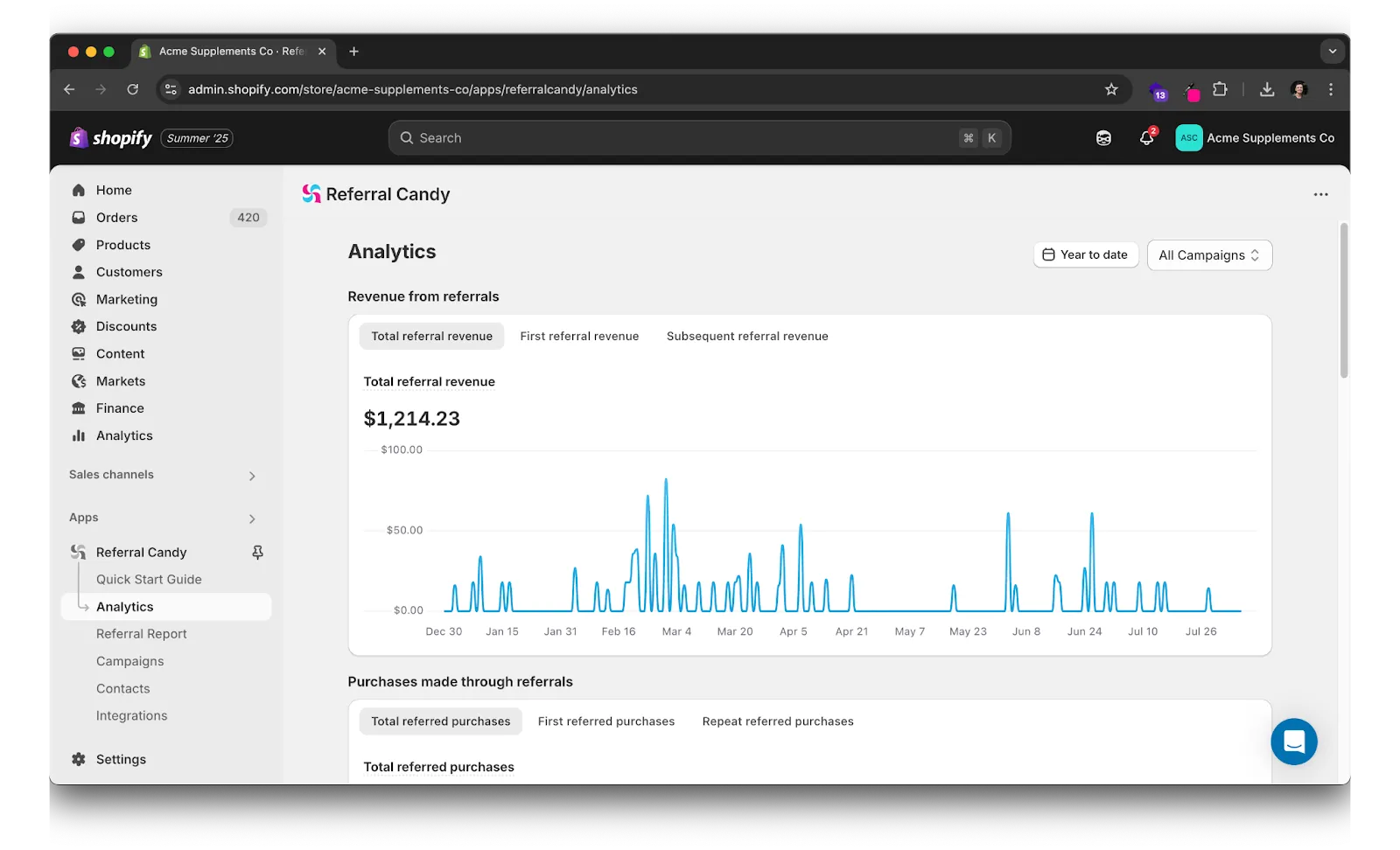
Export data for further analysis or integrate with BI tools using the API.
5. Optimization Best Practices
- Segment your advocates based on their roles and tailor rewards accordingly
- Regularly test reward messaging to improve click-through and share rates
- Periodically review top links to ensure they are active and up-to-date
- Incentivize top performers with tiered commissions to maintain motivation
6. FAQ
8. Key Points
- Efficiency: Set up quickly and easily.
- Comprehensive Solution: Manage both referrals and affiliates in one place.
- Data-Driven Approach: Utilize built-in analytics for insights on top advocates and financial impact.
- Flexible Rewards: Offer various reward options and multi-currency payouts.


